
Wazwan POS Features
Every capability your restaurant needs.
Organized. Visual. Complete.
Wazwan POS is Restaurant POS & Restaurant Management Software — not just billing. Browse features by category and dive into the modules that matter to your restaurant.
Restaurant POS & Billing
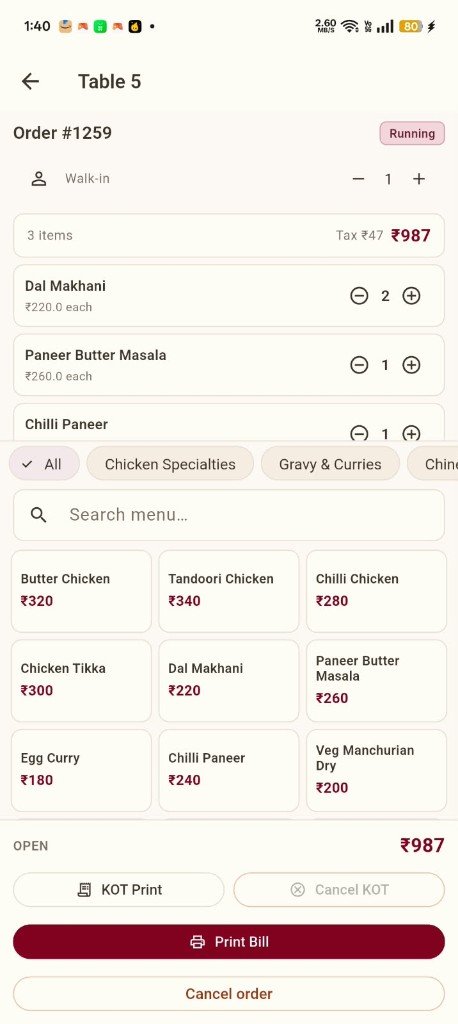
Complete billing workflows from the POS shell — visible in the desktop Table View and mobile order screens.
Discounts & Complimentary Bills
Apply discounts and complimentary bills as part of the restaurant billing workflow.
Learn moreBill Modification
Modify bills during service — adjust items and quantities before settlement.
Learn moreGST Handling
Tax handling integrated with billing — Tax Report, GSTIN IRN Report, full GST reports, and JSON files for GST portal posting.
Delivery & Pick Up
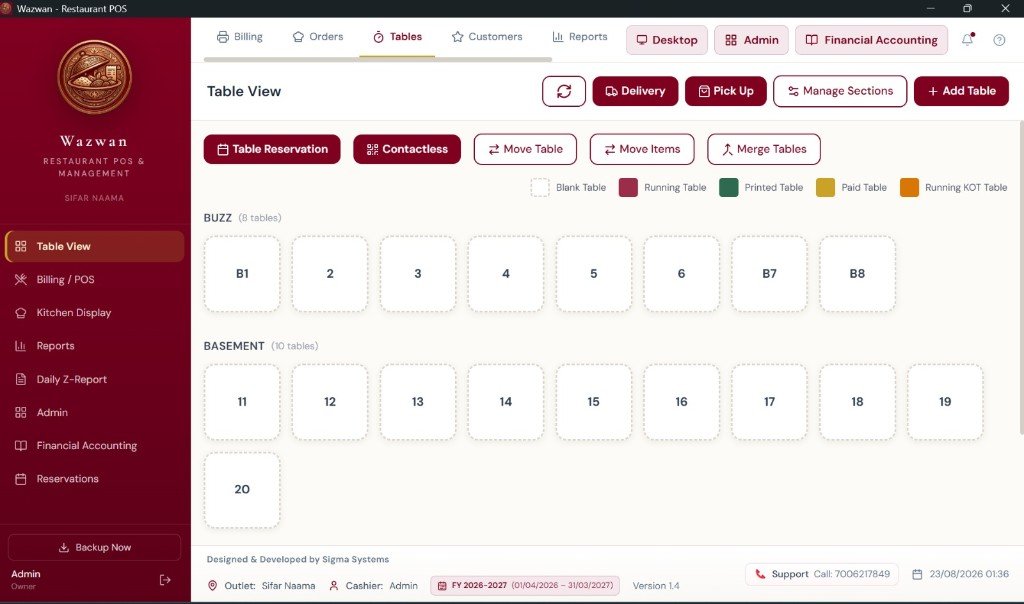
Dedicated Delivery and Pick Up actions alongside dine-in table management in Table View.
Print Bill
Initiate bill printing from mobile order screens with a primary Print Bill action.
Table View
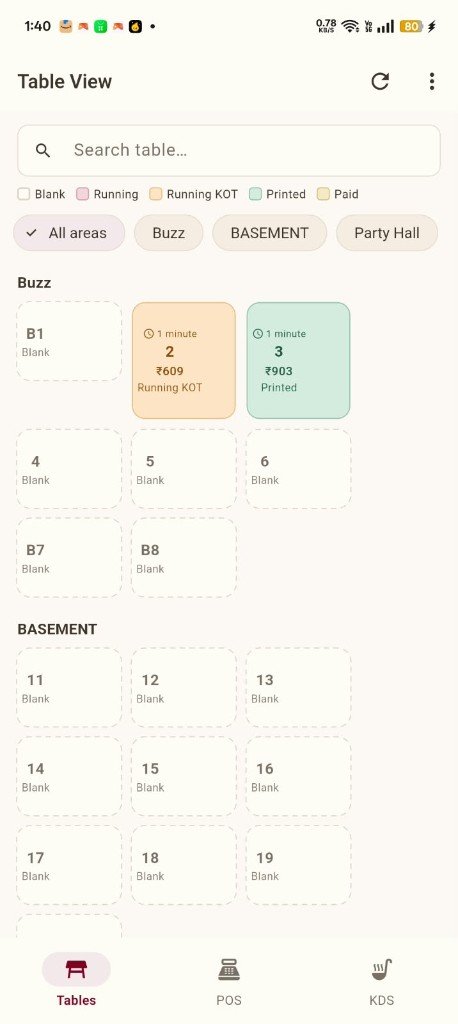
Sectioned floor plan — Buzz, Basement, Party Hall — with table cards showing live status.
Status Tracking
Color-coded states: Blank, Running, Running KOT, Printed, and Paid — on desktop and mobile.
Area Filters
Filter tables by restaurant area — All areas, Buzz, BASEMENT, Party Hall on mobile.
Table Reservations
Table Reservation action available in the desktop Table View toolbar.
Merge & Move Tables
Merge Tables, Move Table, and Move Items for flexible floor management during service.
Contactless
Contactless action visible in Table View for guest-facing ordering workflows.
KOT Management
Send kitchen order tickets from POS and mobile — KOT Print action on the mobile order screen.
Running KOT Status
Tables in Running KOT state are highlighted on the floor — visible in the status legend.
Kitchen Display (KDS)
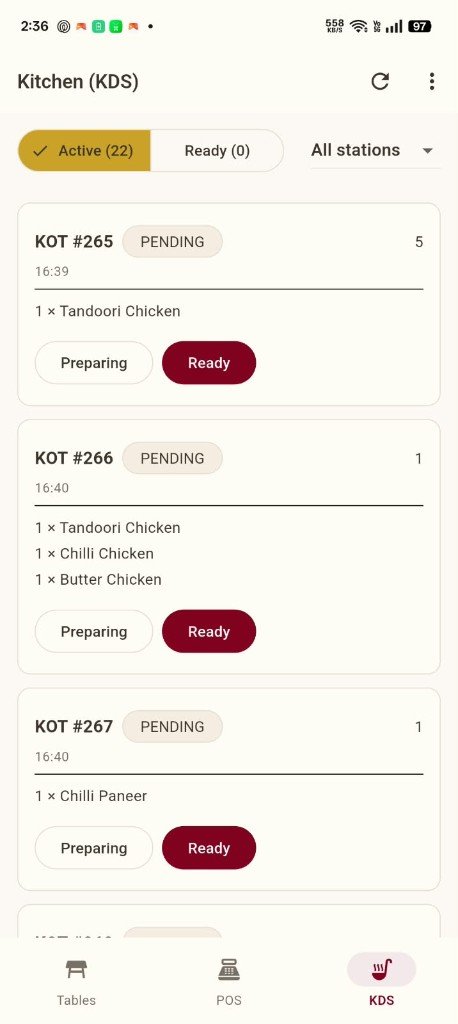
Mobile KDS with Active and Ready queues, station filtering, and Preparing → Ready actions.
Multiple Print Departments
Multiple KOT and print departments supported — filter KDS by station on mobile.
Kitchen Display (Desktop)
Kitchen Display module named in the desktop POS sidebar alongside Billing and Reports.
Menu Grid
3-column menu item grid with name and price — tap to add items to the active order.
Category Management
Horizontal category pills — All, Chicken Specialties, Gravy & Curries, Chinese, and more.
Search Menu
Search menu items quickly from the order screen with a dedicated search field.
Menu Management Module
Menu Management listed in the Management Portal sidebar for back-office menu configuration.
Quantity Controls
Adjust item quantities with +/- controls on each line in the active order cart.
Inventory Management
Inventory Management module in the Management Portal sidebar for stock operations.
Purchase Voucher
Purchase Voucher in Financial Accounting for recording purchase transactions.
Purchase Register
Purchase Register for tracking purchase records within Financial Accounting.
AccountingStock Ledger
Selective Stock Ledger and Full Stock Ledger in the Financial Accounting inventory section.
Stock ledgersCustomer Management
Customer Management module in the Management Portal for maintaining customer records.
Customers Tab
Customers tab in the desktop POS top navigation alongside Billing, Orders, and Tables.
Staff Management
Staff Management module in the Management Portal sidebar for managing restaurant staff.
Leakage-Proof Controls
Designed to help protect restaurant revenue from common staff-side leakage — unauthorized shortcuts, uncontrolled bill changes, and other profit-eroding tricks.
See howCashier Context
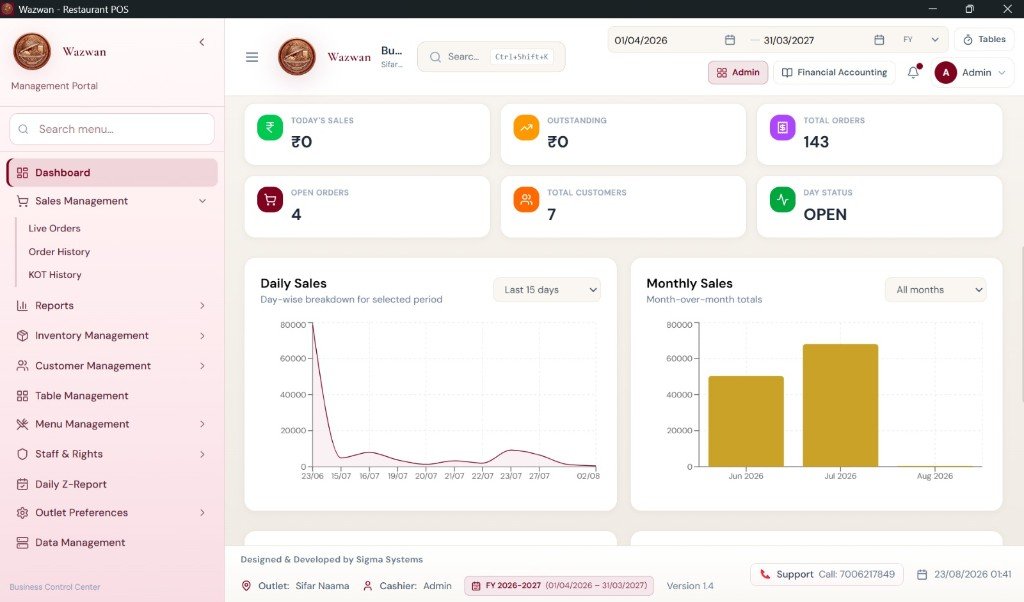
Active cashier displayed in the system footer on every screen — e.g. Admin.
Reports Center
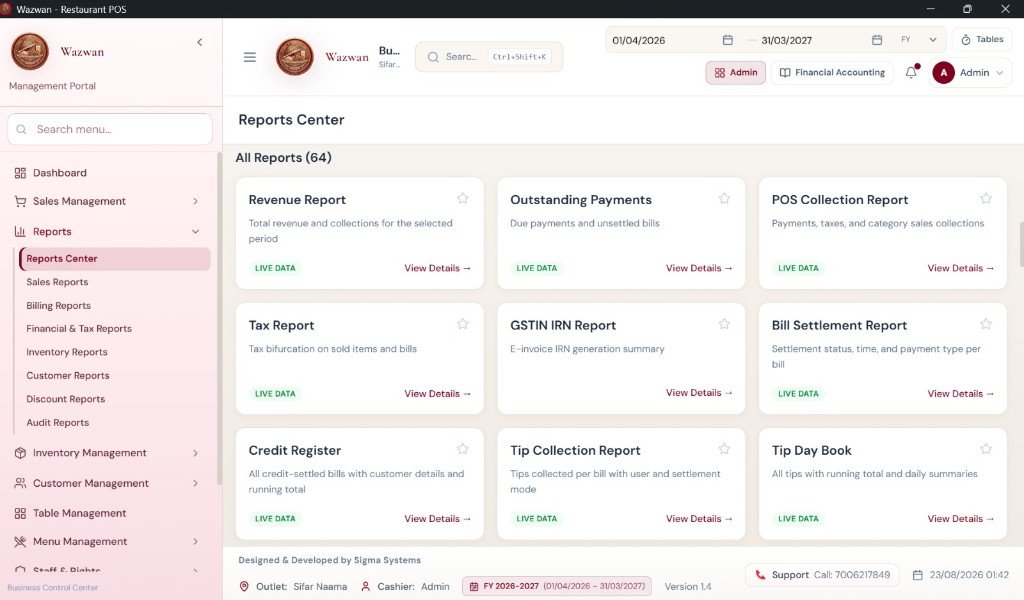
Central hub with 64 reports organized by Sales, Billing, Financial & Tax, Inventory, Customer, Discount, and Audit.
LIVE DATA
Green LIVE DATA indicators on report cards for real-time reporting.
Revenue & Collection
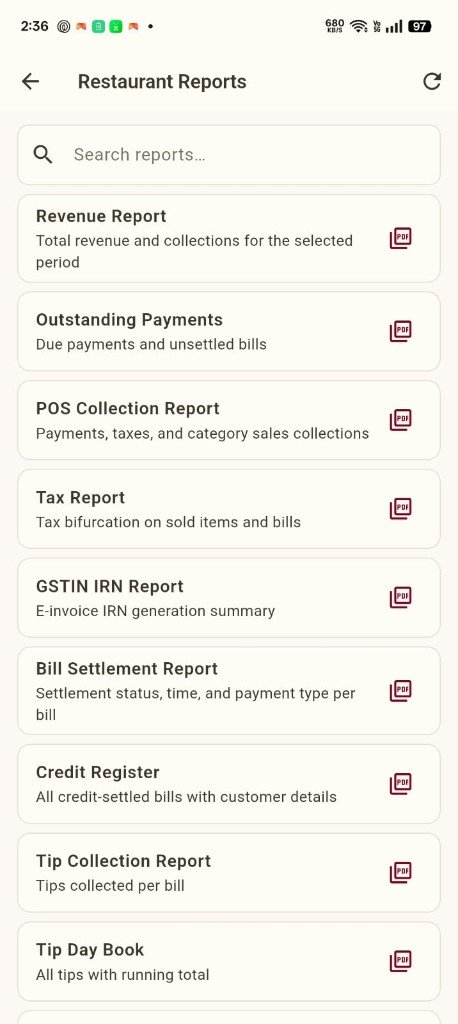
Revenue Report, POS Collection Report, and Outstanding Payments.
Tip Reports
Tip Collection Report and Tip Day Book for tip tracking per bill and daily totals.
Daily Z-Report
Daily Z-Report under Sales Management in the Management Portal.
Table-Side Ordering
Full order screen with cart, menu grid, categories, KOT Print, and Print Bill.
Kitchen Display (KDS)
Active/Ready KOT queues with station filter and Preparing → Ready workflow.
Bottom Navigation
Tables, POS, and KDS modules accessible from the bottom navigation bar.
Mobile Reports
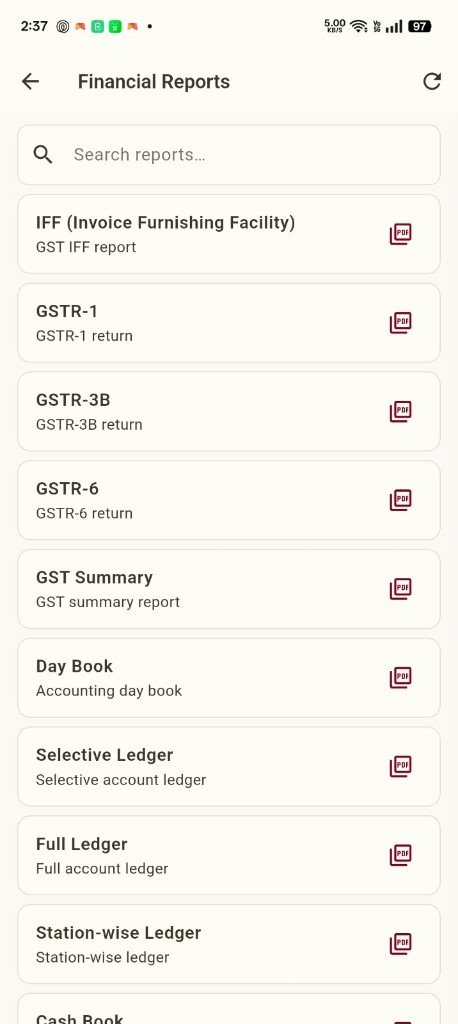
Restaurant Reports and Financial Reports with search and PDF export icons.
Server Sync
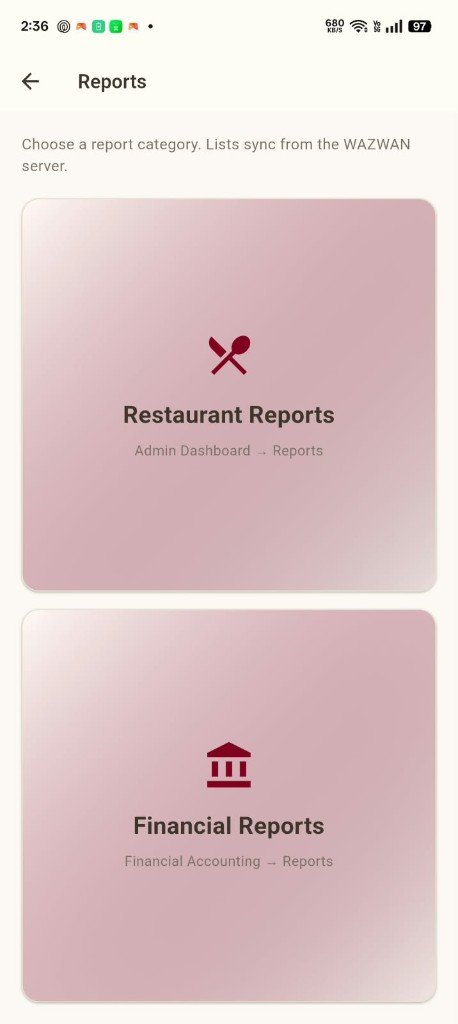
Report lists sync from the Wazwan server — stated on the mobile Reports screen.
Payment Voucher
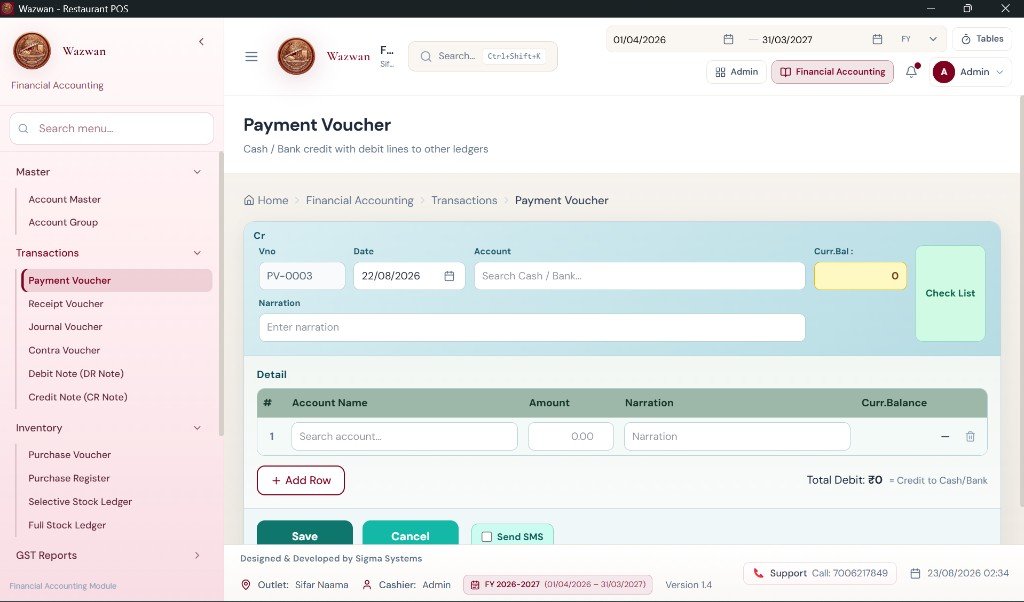
Cash/Bank credit with multi-line debit entries, narration, balances, and optional SMS.
Transaction Vouchers
Payment, Receipt, Journal, Contra, Debit Note, and Credit Note vouchers.
Day Book & Ledgers
Day Book, Selective Ledger, Full Ledger, Station-wise Ledger, and Cash Book.
Full GST Reports
Complete GST reporting — IFF, GSTR-1, GSTR-3B, GSTR-6, GST Summary, Tax Report, and GSTIN IRN Report.
GST Portal JSON Files
Generate JSON files for GST portal filing — take GST return data from Wazwan and post it to the GST portal.
Sales & Purchase Accounting
Sales Accounting, Purchase Accounting, and Purchase Register within the ecosystem.
ModulesData Backup / Restore
Backup and restore capabilities for restaurant operational data on your infrastructure.
Offline POSVersion Management
Software version displayed in the system footer — e.g. v1.4 — with controlled rollouts.
Financial Year
Financial Year selector and FY context on dashboard, reports, and accounting screens.
Outlet & Session Data
Outlet name, cashier, date/time, and support contact in the persistent system footer.
Local Server
Central server on your restaurant network coordinating all devices and data.
ArchitecturePOS PCs & Billing Terminals
Multiple billing and order stations connected through the local server.
Mobile Waiter Devices
Mobile devices for table management and ordering on the same local network.
Kitchen & Main Printers
KOT printers and main printers across print departments on the restaurant network.
Learn moreYour Server. Your Data. Your Control.
Restaurant operational data on infrastructure you control — not dependent on external cloud for daily operations.
Offline AdvancedOnline Alternative
For connected operations, Online POS provides cloud-based access to the same ecosystem.
Online POSGet Started
See all features working together
Request a demo to explore billing, tables, KOT, accounting, mobile, and offline server architecture for your restaurant.