
Offline Advanced POS
Advanced offline restaurant operations.
Your Server. Your Data. Your Control.
Not basic offline billing — a server + node architecture where your POS PCs, billing terminals, mobile devices, and printers work together on your restaurant's local network.
Product Overview
Restaurant POS built for local control
Offline Advanced POS is designed for restaurants that do not want daily operational data dependent on an external cloud system. Your local server coordinates every device on your network.
- One local server on your restaurant network
- Multiple POS PCs and billing terminals
- Mobile waiter devices for table-side operations
- Kitchen and main printers across departments
- Data backup and restore on your infrastructure
- Version management for controlled software rollouts
Feature Architecture
Server + Node on your network
Every device connects through your local server. Operational data stays on infrastructure you control.
Local Server
Central coordination point for all restaurant devices and data on your network.
POS PCs & Terminals
Multiple billing and order stations operating together through the server.
Mobile Waiter Devices
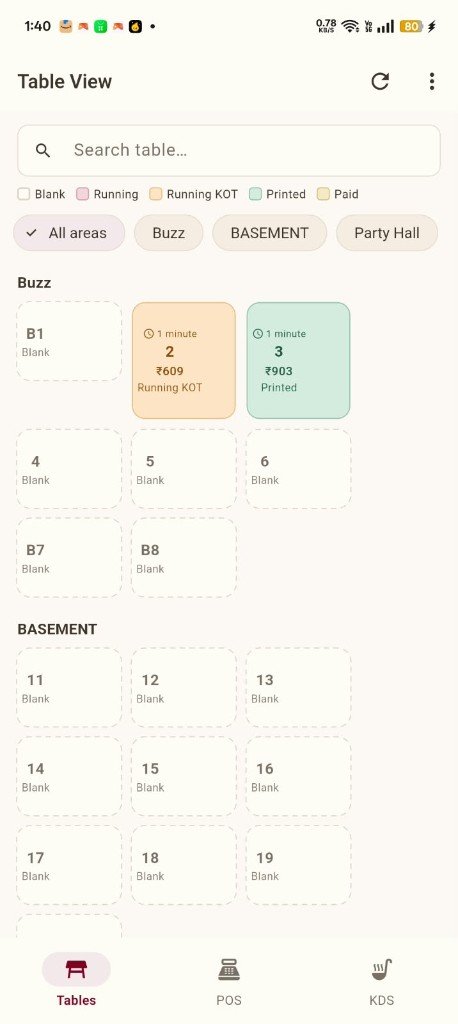
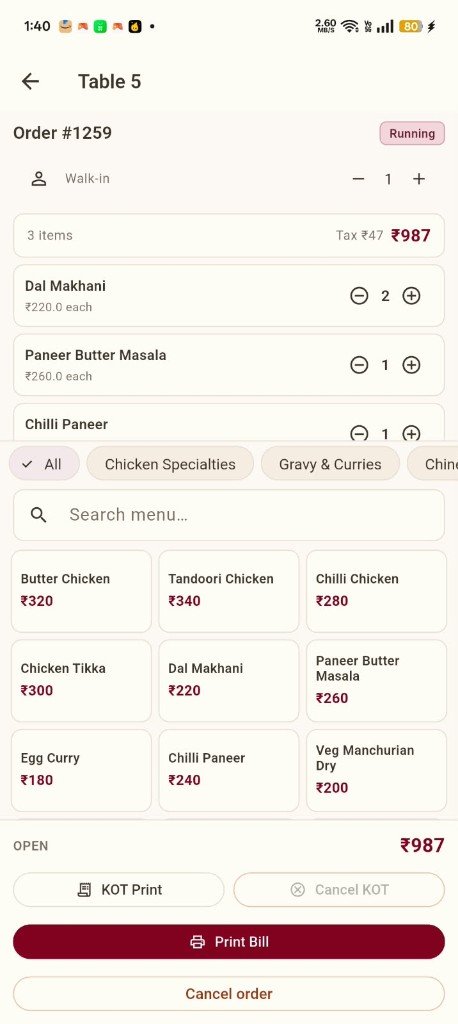
Table management, ordering, KOT, and billing from mobile devices on the network.
Kitchen & Main Printers
KOT printers and billing printers connected across print departments.
Table Management
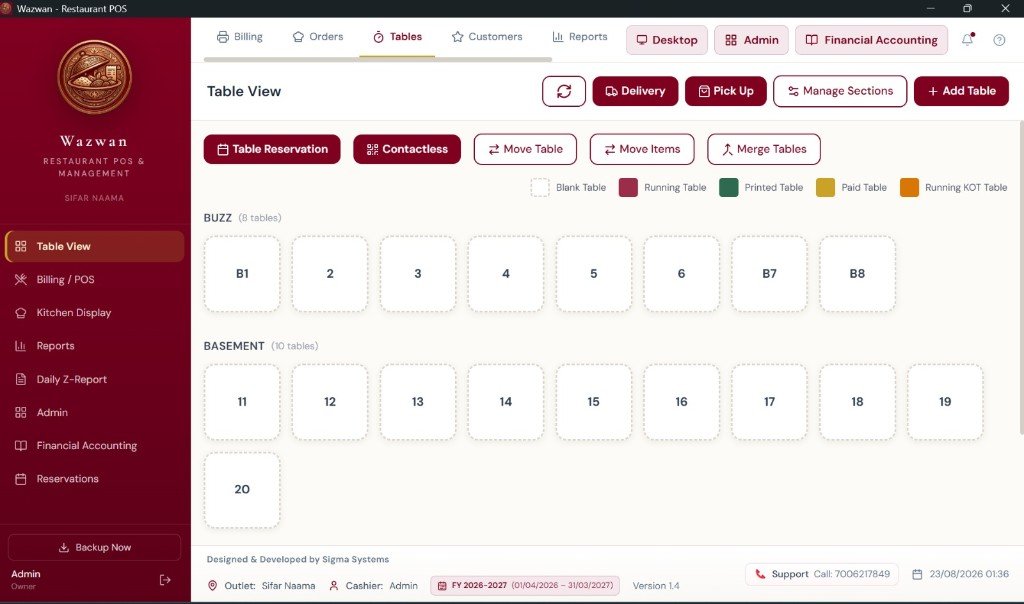
Sectioned floor plans with Blank, Running, Running KOT, Printed, and Paid status.
Financial Accounting
Integrated accounting module accessible from the same ecosystem.
Product Screenshots
See Offline Advanced POS in action
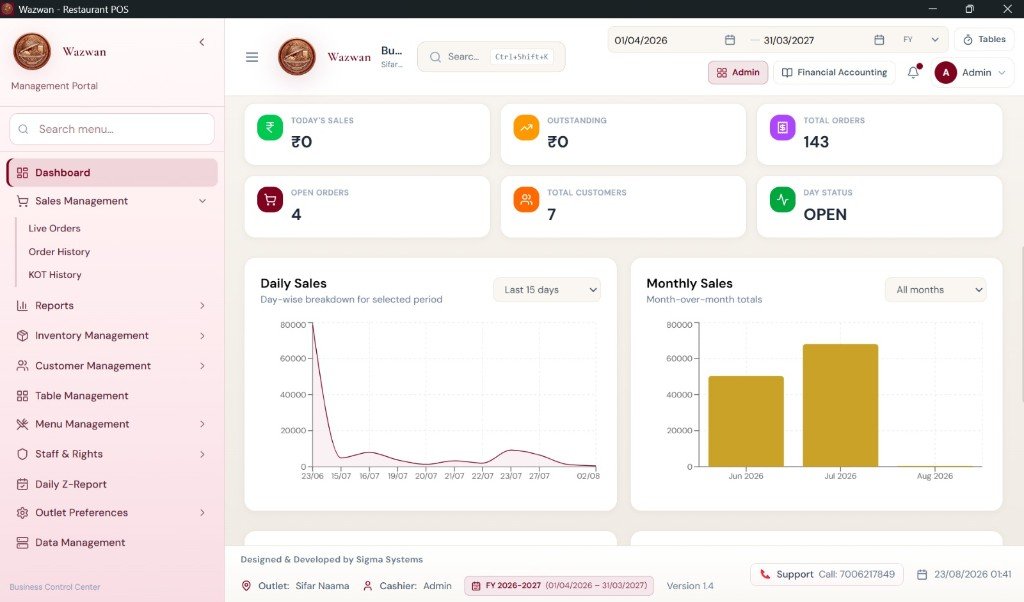
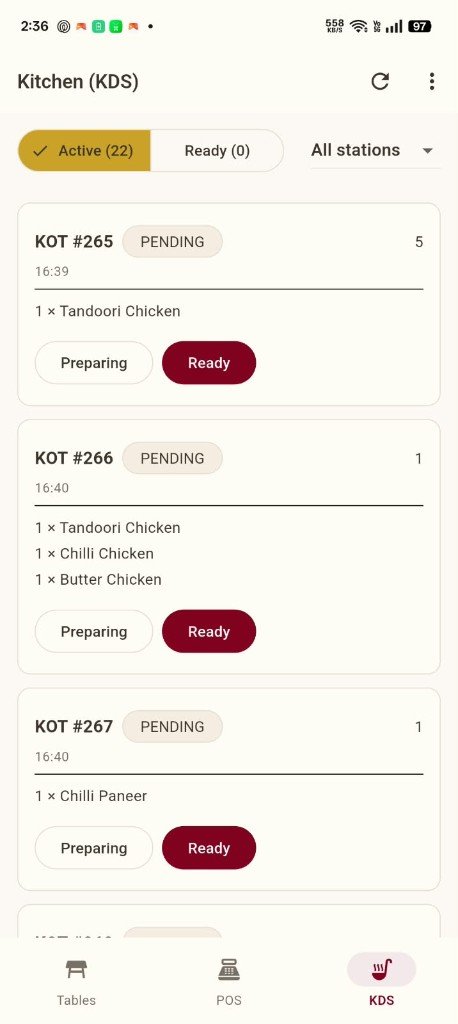
Real screenshots from the Wazwan POS desktop and mobile applications.
Table View
Management Portal
Mobile Ordering
Mobile KDS
Benefits
Why restaurants choose Offline Advanced
Local data ownership
Restaurant operational data remains on your server and infrastructure — not dependent on external cloud for daily operations.
Multi-device coordination
POS PCs, terminals, mobile devices, and printers work together seamlessly on your local network.
Complete ecosystem
Billing, tables, KOT, inventory, staff, reports, and financial accounting — not just a billing app.
Real-time floor management
Color-coded table status including Running KOT, with section filters and live timers.
Operational independence
Continue restaurant operations on your local network without relying on internet connectivity for core POS workflows.
Professional by Sigma Systems
Designed and developed by Sigma Systems as serious restaurant management technology.
Workflow
How Offline Advanced POS works
From server setup to daily restaurant operations — a connected local ecosystem.
Set up your local server
Install and configure the Wazwan server on your restaurant network as the central coordination point.
Connect your devices
Link POS PCs, billing terminals, mobile waiter devices, and kitchen/main printers to the server.
Configure your restaurant
Set up sections, tables, menu, staff rights, print departments, and accounting structure.
Run daily operations
Manage tables, take orders, send KOTs, print bills, track inventory, and generate reports — all on your network.
Manage finances
Record vouchers, maintain ledgers, and access GST reports within the integrated Financial Accounting module.
Explore Offline Advanced POS for your restaurant
See how server + node architecture gives you control over your restaurant data and operations.
Request a DemoGet Started
Ready to take control of your restaurant data?
Request a demo of Wazwan Offline Advanced POS and see the server + node architecture in action.