
Mobile POS
Restaurant operations in your staff's hands.
Tables. Orders. Kitchen. Reports.
The Wazwan mobile app connects waiters, kitchen staff, and managers to your restaurant — table management, ordering, KOT, kitchen display, and reports synced from the Wazwan server.
Product Overview
Mobile app for floor, kitchen, and management
The Wazwan mobile application serves restaurant staff and managers with dedicated modules for table operations, ordering, kitchen display, and reporting — all connected to the Wazwan server.
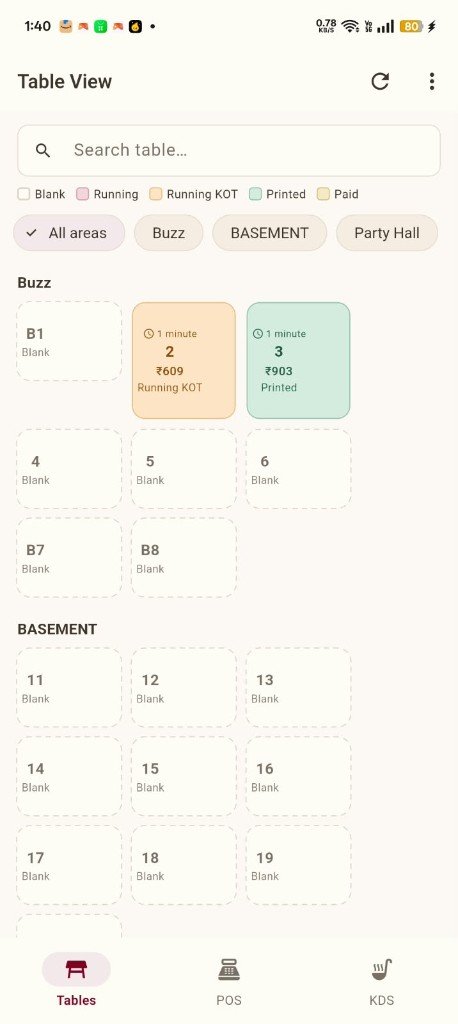
- Table View with area filters and live status colors
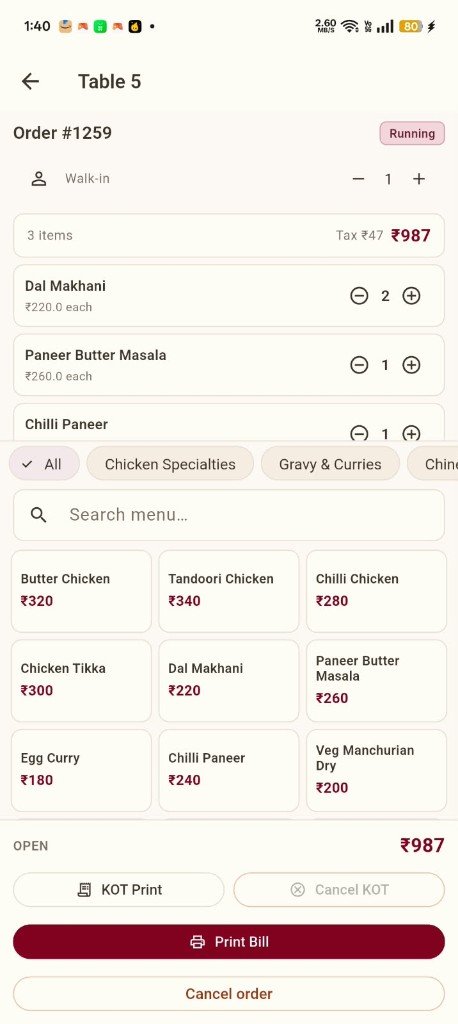
- Table-side ordering with menu categories and search
- KOT Print and Print Bill from the mobile device
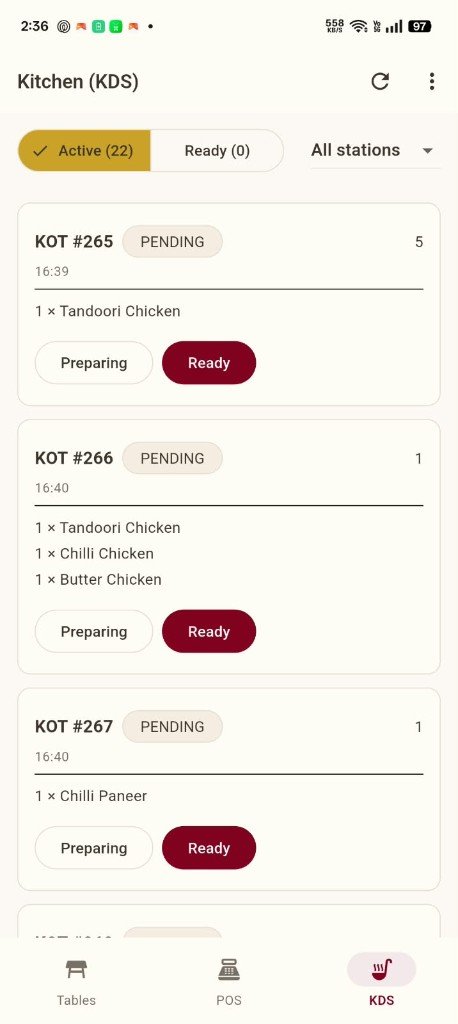
- Kitchen Display System with Active/Ready queues
- Restaurant and Financial reports on mobile
- Lists synced from the Wazwan server
Feature Architecture
Three operational modules + reporting
Bottom navigation provides Tables, POS, and KDS — with a separate reporting path for managers.
Tables
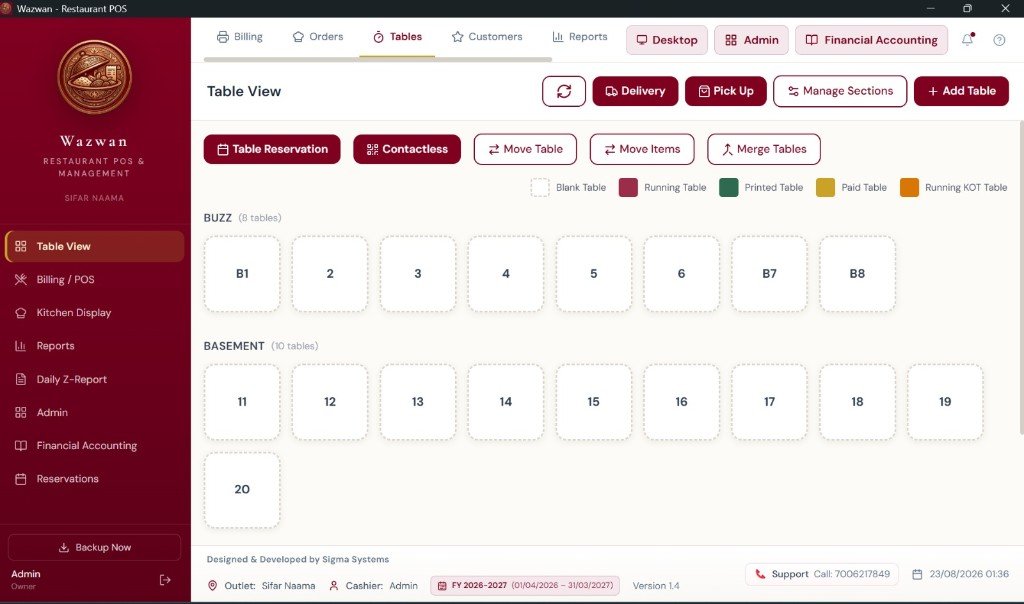
Floor management with Blank, Running, Running KOT, Printed, and Paid status by area.
POS (Ordering)
Table-bound orders with cart, menu grid, categories, KOT Print, and Print Bill.
KDS (Kitchen)
Active and Ready KOT queues with station filtering and Preparing → Ready workflow.
Menu Selection
Category pills, search, and 3-column menu item grid with prices.
Restaurant Reports
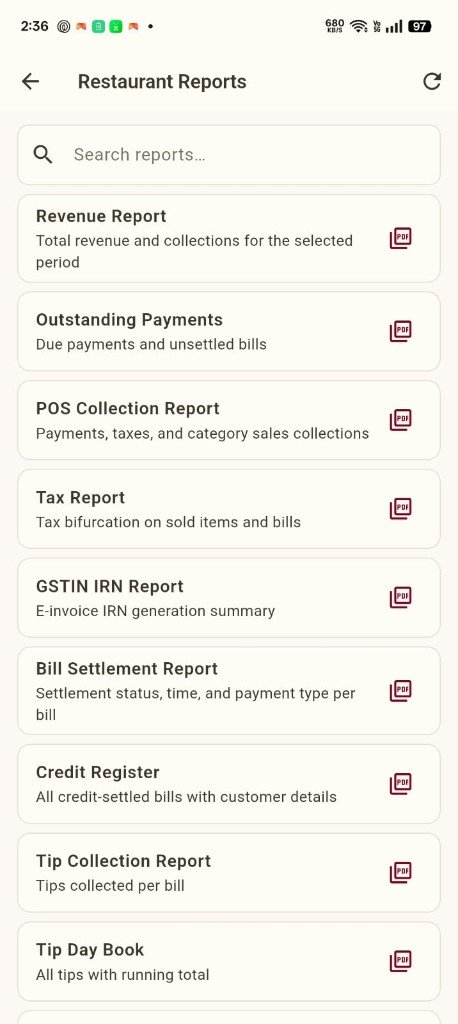
Revenue, tax, settlement, credit, and tip reports with PDF export on mobile.
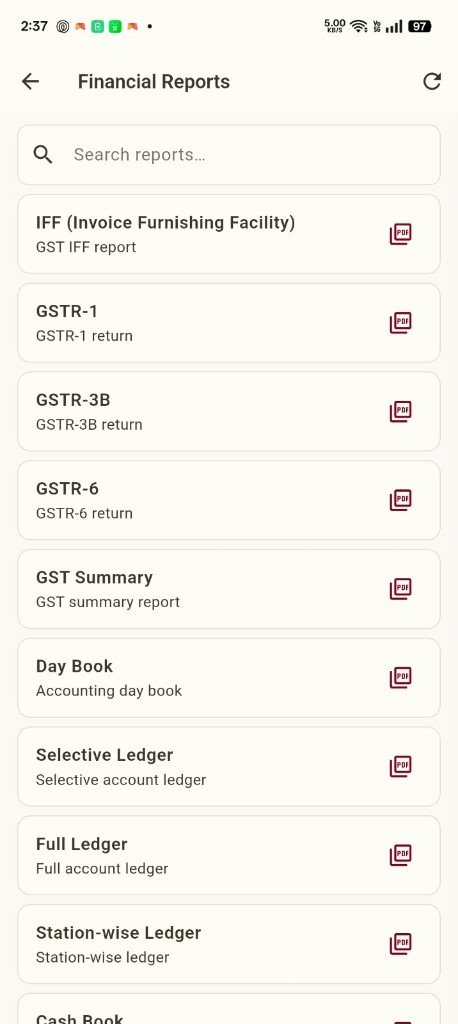
Financial Reports
Day Book, ledgers, cash book, and GSTR reports accessible on mobile.
Product Screenshots
See the mobile app in action
Real screenshots from the Wazwan mobile application — no invented UI.
Table View
Table Ordering
Kitchen Display
Restaurant Reports
Financial Reports
Desktop Table View
Benefits
Why mobile matters for restaurants
Floor awareness on the go
Waiters see every table's status, timer, guest count, and running amount from their device.
Faster table-side service
Take orders at the table with menu categories, search, and one-tap quantity adjustments.
Direct KOT workflow
KOT Print from the order screen sends tickets to the kitchen — visible on mobile KDS as Active KOTs.
Kitchen efficiency
Kitchen staff use KDS with station filters, Preparing and Ready actions — no paper tickets.
Consistent status model
Same Blank → Running → Running KOT → Printed → Paid flow on mobile and desktop.
Management on mobile
Managers access restaurant and financial reports synced from the Wazwan server.
Workflow
Waiter to kitchen to billing
The complete mobile workflow from seating guests to printing bills.
Check Table View
Open Tables to find Blank tables by area — Buzz, Basement, Party Hall, or All areas.
Open table & take order
Select a table, set guest count, browse menu categories or search, and add items with quantity controls.
Send KOT to kitchen
Tap KOT Print to send the kitchen order ticket — table status changes to Running KOT.
Kitchen prepares via KDS
Kitchen staff see the KOT on KDS, mark Preparing, then Ready when the order is complete.
Print bill & complete
When guests are ready, tap Print Bill — table moves to Printed, then Paid when settled.
Give your staff a mobile POS that works
Request a demo to see table management, ordering, KDS, and mobile reports in action.
Request a DemoGet Started
Ready to mobilize your restaurant operations?
Request a demo of the Wazwan mobile app for your waiters, kitchen, and managers.